SDMS is IndianOil’s internal system for dealers, distributors, and other authorized business partners. It is not a consumer portal. You cannot sign up for it yourself. Access comes with an approved business relationship, and what you see depends on the permissions attached to your account.
What is SDMS PX IndianOil?
SDMS stands for secondary dealer management system. IndianOil’s own reports describe it as part of the ePIC digital platform, alongside the SDMS-CRM application. The company has upgraded SDMS-CRM to improve speed, stability, and security.
Depending on your role, systems linked to SDMS can let you:
- View business and transaction information
- Manage orders or indents
- Check sales and balance figures
- Open invoices and records
- Pull up reports
- Handle dealership or distribution tasks
- Use other services enabled for your account
Do not assume your menus match another dealer’s. The system has changed over the years, and access is role based. IndianOil has said its channel partners, including petrol pump dealers and LPG distributors, can track indents, sales, and balances online.
Who can use it
The portal is for authorized IndianOil business users. That usually means:
- Dealers
- Distributors
- Business partners
- Other approved stakeholders in the supply and distribution network
People often treat it like a public signup site. It is not one. If you are an existing dealer or partner, your account and its permissions are set up through IndianOil’s internal process, not by you.
Dealer portal vs consumer services
| Area | Dealer/business access | Consumer access |
|---|---|---|
| Intended users | Authorized business stakeholders | IndianOil customers |
| Main purpose | Business and distribution work | Consumer services |
| Login | Authorized business credentials | Consumer account credentials |
| Dashboard | Depends on business role | Consumer information |
| Access rights | Role based | Tied to the customer account |
Keeping the two apart saves a lot of pointless login trouble.
How to log in
Use the access route IndianOil gave you. Not an old bookmark. Not a link from a blog.
Portal addresses and login systems change. Several older pages still point to the sdms.px.indianoil.in/edealer_enu/ interface. That URL may or may not be current, so treat it as a reference, not a rule.
If your account is active, the process is roughly:
- Open the IndianOil business or SDMS login page.
- Enter your user ID.
- Enter your password.
- Complete any security check on screen.
- Click login.
- Open the dashboard assigned to your account.
Field names and layout shift when IndianOil updates the system. Follow what the current page tells you.
Before you type your password
Some search results copy IndianOil’s wording and give wrong or outdated links. Check:
- The domain name, character by character
- Whether the connection is HTTPS
- Whether you got there through an official IndianOil source
- Whether the page asks for anything a login does not need
Never give your password or OTP to anyone who offers to “activate” or “unlock” your account. Nobody legitimate asks for it.
The dashboard
After login, the dashboard is your starting point. It may show:
- Orders or indents
- Sales information
- Transactions
- Invoices
- Reports
- Account details
- Operational updates
- Other functions tied to your role
Two dealers can see two different dashboards. That is normal. IndianOil described ePIC in its 2019-20 annual report as combining CRM and SDMS components.
One habit worth building: use the dashboard to check your records, not just to click through tasks. Compare order details against your own books. Save downloaded invoices and reports the way your business files everything else. Discrepancies show up faster that way.
Forgot your password?
Use the Forgot Password option on the current official login page. Recovery screens change when the authentication system is updated, so ignore old articles that tell you exactly which field or OTP box to use.
Most recovery flows ask you to identify the account, verify yourself, then set a new password.
If reset fails, check these:
- You are using the correct user ID
- Caps Lock is off
- Your account is not locked or inactive
- You used the recovery link on the official page, not a copy
- Your registered mobile number and email are still current
- If none of that works, contact IndianOil support or your administrator
Stop guessing passwords. Repeated failures can lock the account and make things worse.
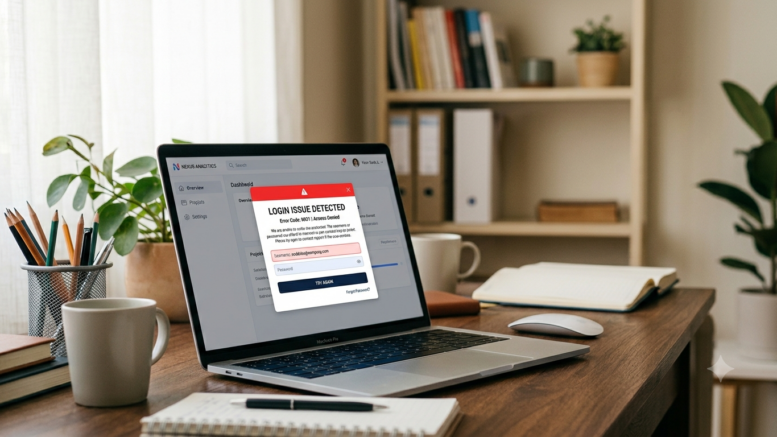
Login not working? Run these checks
A broken login does not always mean bad credentials.
- Website address. Old SDMS URLs still float around in search results. Confirm you are on the current one.
- Browser. Use an updated Chrome, Edge, or Firefox. Old browsers break modern login pages.
- Cache and cookies. If the page reloads in a loop or renders wrong, clear browsing data. An incognito window also tells you quickly whether a stale cookie or an extension is the problem.
- Connection. A weak network can cut authentication halfway.
- Another device. If it works on your phone, the fault is with your computer or browser, not your account.
- Server side. If colleagues are locked out at the same time, the problem is not yours. Changing your password will not fix it.
What not to do
- Do not share your password or OTP with anyone, including people offering help.
- Do not install unknown software because of a login error. A portal issue never requires a new app or extension.
- Do not call unverified “customer care” numbers. Get contact details from official IndianOil channels.
- Do not assume every feature applies to you. Permissions differ.
- Do not confuse dealer login with dealership application. Those are separate things entirely.
A simple routine
If you use the portal regularly:
- Go through the official access route each time
- Sign in with your own credentials, not a shared login
- Read the dashboard notifications before anything else
- Check orders and transactions against your records
- Save the records you need
- Log out on shared computers
- Never save passwords on a shared or unsecured device
- Report anything odd through the proper IndianOil channel
This matters more when several people run the same dealership.
Why it matters
A distribution network this size runs on information, not just trucks and tanks. Partners need current data on orders, sales, and balances.
IndianOil has been building these systems for years. Annual reports track the growth of ePIC and SDMS-CRM, and more recent ones note the CRM app was upgraded for better speed, stability, and security. That is also why older guides go stale. The process stays roughly the same. The buttons and URLs do not.
FAQs
Is SDMS PX IndianOil a customer portal?
No. It is for dealers, distributors, and other authorized partners. IndianOil runs separate services for consumers.
Can anyone create an SDMS dealer account?
No. Access follows an approved business relationship and assigned permissions.
What if I forget my password?
Use the recovery option on the current login page. If that fails, contact your IndianOil administrator or support channel.
Why can another dealer see a feature I cannot?
Access depends on role, business type, and permissions. Different accounts get different menus.
Is the old sdms.px.indianoil.in URL still correct?
Older guides still cite it, along with edealer_enu. Portal access changes, so confirm the current route through IndianOil rather than an old bookmark.
Be the first to comment on "SDMS PX IndianOil: Dealer Login, Dashboard, and Password Recovery"