Video content is one of the strongest methods of reaching out to the audience in the modern digital-first world. The creators of YouTube content and marketing agencies, as well as corporate teams and MSMEs, require professional tools to design high-quality videos and interesting graphics. This is why it is highly important to select an appropriate Video editing software business solution.
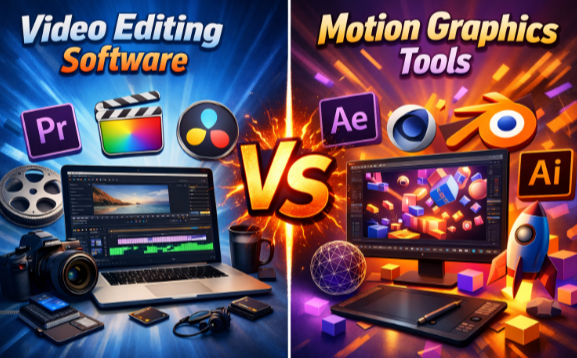
Video Editing software and motion graphics are often confused by many people. They both are applied to the production of video; however, their purposes differ. Video editing is concerned with the cutting, arrangement, and enhancement of footage, whereas motion graphics tools are applied to animations, special effects, and sophisticated visuals.
This article will assist Indian companies and artists in knowing the difference, searching for the most appropriate tools, and knowing where to buy Video Editing Software in a safe place with an authorized partner.
Video Editing software vs Motion graphics tools: What’s the difference?
What is Video Editing software?
Video editing software is utilized to chop, organize, and enhance video clips. It is used to make your professional videos by inserting transitions, music, text, effects, and color correction.
Video editing software is used by businesses in India in the following ways:
- Video social media marketing.
- Product demos
- Corporate event highlights
- Training videos
- Promotional ads
In the case of emerging and successful brands, selecting the most appropriate and favorable video editing software among the MSMEs is likely to enhance interactions with customers and enhance the growth of the business.
Motion Graphics Tools: What are Motion Graphics Tools?
Motion graphics tools are intended to be used in animation and sophisticated visuals. They are used to produce moving text, animation of logos, movie effects, and VFX at the film level.
Motion graphics software finds application in:
- Movies and OTT productions
- Advertising agencies
- High-end brand campaigns
- Visual effects studios
Motion graphics tools are not as easy to use as simple video editing software and are typically applied in creative production that is of high quality.
Video Editing software vs Motion graphics tools
| Comparison Criteria | Adobe Premiere Pro Teams [Video Editing] | Adobe Creative Cloud for Teams [Video Editing + Creative Suite] | Adobe Lightroom [Visual Enhancement] | Pinnacle Studio [Affordable Editor] | Nuke Render [Motion Graphics & VFX] |
| Type | Professional video editor | Full creative suite [editing + design + motion] | Photo & visual enhancer for video workflows | Beginner- friendly video editor | Advanced motion graphics & visual effects |
| Primary Purpose | Editing and producing business videos | Editing + graphic design + motion capabilities | Color correction & visual enhancement | Simple video editing | Film-level VFX and animations |
| Best for | YouTube creators, corporate video, Marketing | Teams needing complete creative tools | Enhancing visuals and color grading | Small businesses, startups | VFX studios, film production |
| Complexity level | Moderate to advanced | Advanced [multiple tools] | Easy to moderate | Easy | Highly Advanced |
| Typical Output | Edited video projects | Videos + motion graphics + visual design | Enhanced visuals and footage | Simple videos | Cinematic visual effects |
| Typical Output | Edited video projects | Videos + motion graphics + visual design | Enhanced visuals and footage | Simple videos | Cinematic visual effects |
| Multi camera Editing | ✔ Yes
|
✔ Yes
|
✘
|
✔
|
✔
|
| Color Grading Options | ✔ Advanced
|
✔ Advanced
|
✔ Professional
|
✔
|
✔ Professional
|
| Audio Editing Tools | ✔ Professional
|
✔ Professional
|
✘
|
✔ Basic
|
✔ Yes
|
| Motion Graphics Capabilities | ✔ Basic
|
✔ Strong (via After Effects)
|
✘
|
✘
|
✔ Full Motion & VFX
|
| 3D Compositing & Effects | ✘
|
✔ (via linked tools)
|
✘
|
✘
|
✔ Full support
|
| Collaboration & Team Features | ✔ Teams support
|
✔ Best for teams
|
✔ Cloud sync
|
✔ Offline use
|
✔ Mostly local
|
| Ease of Learning | Medium | Hard | Easy | Easy | Hard [Requires expertise] |
| Best Use Case of Businesses | Professional brand videos, corporate content | Creative campaigns, multi- team workflows | Product visuals, color enhancement | Quick social media video edits | High-end film ads & visual storytelling |
| Used by [industry] | MSMEs, Corporate, Youtubers | Large Enterprises, Creative Agencies | Designers, Marketing teams | Startups, MSMEs | Film / Professional studios |
| Software Category | Video Editing Software | Video Editing + Creative Tools | Enhancement software | Video Editing Software | Motion Graphics Tool |
Where to buy Video Editing software online in India
The right reseller is very critical when you intend to buy software online. Many illegal sellers provide counterfeit licenses, which are associated with legal and security hazards.
Only purchase through Wroffy, an official distributor, to have original products, clear prices, and after-sales services.
Wroffy Technologies offers the highest quality tools, such as:
- Adobe Premiere Pro for Teams
- Adobe Lightroom
- Pinnacle Studio
- Nuke Render
Conclusion
The decision is up to you whether you use a video editing program or motion graphics tools, depending on the requirements of your business. Video editing programs will be necessary in everyday content production, whereas motion graphics programs are intended to be utilized in high-level animation and VFX.
To creators, MSMEs, and enterprises with potential needs for the best Video Editing Software business solutions, it is important to invest in authentic tools. To have the best software at the most reasonable rate, the most intelligent option would be to buy Video Editing Software online through Wroffy Technologies, a trusted reseller partner in the whole of India.
Be the first to comment on "Best Video Editing software vs Motion graphics tools: Comparison guide"